

 By rssfeeds-admin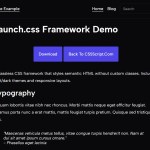
Unlike traditional CSS frameworks (like TailwindCSS and Bootstrap) that require learning complex class naming conventions, launch.css applies styling directly to HTML elements themselves.
It’s great for proofs-of-concept, MVPs, or even simple sites where you don’t need a complex design system.
Features:
- Zero Classes: Styles applied directly to HTML tags. Forget
.btnor.containerfor basic setup. - Light/Dark Themes: Switch themes using a simple
data-themeattribute on the<html>tag. - Multiple Layouts: Choose between a standard
websitelayout or adashboardlayout (often implying a fixed header) viadata-layouton<body>. - Responsive: Adapts reasonably well to different screen sizes out of the box.
- Lightweight: Very small footprint. No kitchen sink included, just the essentials.
- Modern CSS: Built using current CSS features like custom properties.
How to use it:
1. Install launch.css and import it in your main JavaScript entry point:
# NPM
$ npm install launch.css
import "launch.css";
2. Or load the main stylesheet in your HTML document’s head:
<link rel="stylesheet" href="https://unpkg.com/launch.css" />
3. Create a standard HTML document, write semantic HTML elements, and let launch.css handle the styling.
4. Switch between dark and light modes using the data-theme attribute:
<!-- Light theme -->
<html data-theme="light">

<!-- Dark theme -->
<html data-theme="dark">
5. Switch between website and dashboard layouts using the data-layout attribute:
<!-- Standard website layout with flowing content -->
<body data-layout="website">

<!-- Dashboard/application layout with fixed header -->
<body data-layout="dashboard">
The post Zero-Class Web Development with launch.css Framework appeared first on CSS Script.
Discover more from RSS Feeds Cloud
Subscribe to get the latest posts sent to your email.