

 By rssfeeds-admin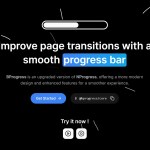
It generates a slim, animated progress bar at the top of the viewport, showing your users that something is happening in the background, like a page transition or a data fetch.
This can help manage user expectations during asynchronous operations and make the application feel more responsive.
Features:
- TypeScript implementation with clean, optimized syntax.
- CSS custom properties for easy styling without overriding classes.
- Configurable progress behavior with minimum/maximum values and animation easing.
- Multiple installation options, including CDN and package managers.
- Framework-agnostic core with dedicated framework packages (React, Next.js, Vue, and Remix).
- Indeterminate progress mode for unknown loading durations.
- Promise integration for automatic progress management.
Use Cases:
- Single Page Applications: Indicating route transitions and lazy-loaded component mounting in React, Vue, or Angular applications
- API-heavy dashboards: Providing visual feedback during data fetching operations, especially useful for analytics interfaces and admin panels
- Form submissions: Showing progress during multi-step forms or file upload processes where users need clear feedback
- Content management systems: Improving perceived performance during page loads and content updates in WordPress themes or custom CMS implementations
How to use it:
1. Install BProgress using your preferred package manager:
# Yarn
$ yarn add @bprogress/core

# NPM
$ npm install @bprogress/core

# PNPM
$ pnpm install @bprogress/core

# BUN
$ bun add @bprogress/core
2. Import the library and CSS styles in your JavaScript application:
import '@bprogress/core/css';
import { BProgress } from '@bprogress/core';
3. If you prefer not to use a package manager, you can link to the library directly from a CDN in your HTML.
<link rel="stylesheet" type="text/css" href="https://unpkg.com/@bprogress/core/dist/index.css" />
<script type="module">
  import { BProgress } from 'https://unpkg.com/@bprogress/core/dist/index.js';
  // Your code here
</script>
4. Start & complete the progress bar.
// Start the progress bar
BProgress.start();

// Complete the progress bar
BProgress.done();
5. Available options to customize the progress bar.
- minimum: The minimum percentage the bar can have.
- maximum: The maximum percentage the bar can have.
- template: The HTML string for the progress bar and spinner.
- easing: The CSS easing function for the animation.
- positionUsing: The CSS property used for positioning the bar: ‘translate3d’, ‘translate’, ‘margin’, ‘width’, ”.
- speed: The animation speed in milliseconds.
- trickle: Enables or disables the automatic incrementing animation.
- trickleSpeed: The speed of the trickle animation in milliseconds.
- showSpinner: Toggles the visibility of the loading spinner.
- barSelector: The CSS selector for the main progress bar element within the template.
- spinnerSelector: The CSS selector for the spinner element within the template.
- parent: The DOM element or selector where the progress bar is appended.
- direction: The direction of the progress bar animation (
'ltr'or'rtl'). - indeterminate: Puts the bar in an indeterminate (continuously animating) state.
- indeterminateSelector: The CSS selector for the indeterminate element within the template.
BProgress.configure({
 minimum: 0.08,
  maximum: 1,
  template: `<div class="bar"><div class="peg"></div></div>
   <div class="spinner"><div class="spinner-icon"></div></div>
   <div class="indeterminate"><div class="inc"></div><div class="dec"></div></div>`,
  easing: 'linear',
  positionUsing: 'width',
  speed: 200,
  trickle: true,
  trickleSpeed: 200,
  showSpinner: true,
  indeterminate: false,
  indeterminateSelector: '.indeterminate',
  barSelector: '.bar',
  spinnerSelector: '.spinner',
  parent: 'body',
  direction: 'ltr',
});
6. Full API Methods
- start(): Initializes and displays the progress bar
- done(force?: boolean): Completes and hides the progress bar, with optional force parameter
- set(percentage: number): Sets progress to specific value between 0 and 1
- inc(amount: number): Increments progress by specified amount
- dec(amount: number): Decrements progress by specified amount
- trickle(): Automatically increments progress by small amounts for perceived loading
- promise(promise: any): Integrates with Promise objects for automatic progress management
- pause(): Temporarily stops progress updates
- resume(): Resumes paused progress updates
- reset(): Resets progress bar to initial state
- isStarted(): Returns boolean indicating if progress bar is active
- isRendered(): Returns boolean indicating if progress bar element exists in DOM
- render(fromStart: boolean): Ensures progress bar element exists in DOM
- remove(element?: HTMLElement): Removes progress bar elements from DOM
7. Here’s a common usage pattern for a fetch request:
function fetchData() {
  BProgress.start();
  fetch('/api/data')
    .then(response => response.json())
    .then(data => {
      // process data
    })
    .catch(error => {
      console.error('Error fetching data:', error);
    })
    .finally(() => {
      BProgress.done();
    });
}
8. BProgress uses CSS custom properties for easy theming without JavaScript configuration:
:root {
  --bprogress-color: #ff6b35;                    /* Progress bar color */
  --bprogress-height: 3px;                       /* Bar thickness */
  --bprogress-spinner-size: 20px;                /* Spinner dimensions */
  --bprogress-spinner-animation-duration: 500ms; /* Spinner speed */
  --bprogress-spinner-border-size: 3px;          /* Spinner border width */
  --bprogress-box-shadow: 0 0 15px var(--bprogress-color); /* Glow effect */
  --bprogress-z-index: 99999;                    /* Stacking context */
  --bprogress-spinner-top: 20px;                 /* Spinner position */
  --bprogress-spinner-right: 20px;
}
FAQs:
Q: How do I prevent the progress bar from completing too quickly on fast connections?
A: Use the minimum configuration option to ensure the progress bar displays for a minimum duration, and consider implementing artificial delays with setTimeout before calling done(). We typically set a minimum 300ms display time for better user perception.
Q: Is it possible to have multiple progress bars on the same page?
A: BProgress follows a singleton pattern by design, but you can create multiple instances by using different parent containers and custom selectors. Configure each instance with unique barSelector, spinnerSelector, and parent options.
Q: How do I handle progress bars for file uploads with actual progress data?
A: Use the set() method with progress values from upload events. Monitor the XMLHttpRequest.upload.onprogress event and call BProgress.set(loaded / total) to reflect actual upload progress rather than using the automatic trickle functionality.
Related Reading:
The post Modern TypeScript Progress Bar Library – BProgress appeared first on CSS Script.
Discover more from RSS Feeds Cloud
Subscribe to get the latest posts sent to your email.