

 By rssfeeds-admin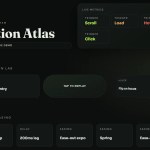
The library handles Flash of Unstyled Content (FOUC) automatically through a three-layer protection system, so you get clean animation starts on every page load.
Features:
- 30+ Built-In Animations including fades, slides, zooms, bounces, attention effects, rotations, and special effects.
- Anti-FOUC Protection that prevents elements from flashing into view before their animation runs.
- Animations fire on viewport entry, hover, click, or focus.
- Reads the user’s
prefers-reduced-motionmedia query and respects the system preference automatically. - You can configure duration, delay, easing, viewport offset, and once/repeat behavior per element.
Use Cases:
- Add entrance animations to headlines, CTAs, and feature cards as the user scrolls.
- Animate project thumbnails and descriptions with subtle fades or slides.
- Highlight key quotes, images, or code blocks as they come into view.
- Animate tooltips or examples when the user hovers over them.
How to use it:
1. Install and import data-anim.
# NPM
$ npm install data-anim
// Import at your app's entry point (e.g., main.js or index.ts)
import 'data-anim';
2. Or place the script tag synchronously in the <head> from a CDN.
Do not add
asyncordefer. The anti-FOUC system depends on the script running before the browser’s first paint.
<script src=”https://unpkg.com/data-anim/dist/data-anim.min.js”></script>
3. Apply the data-anim attribute to any element with an animation name as its value:
- Fade:
fadeIn,fadeOut,fadeInUp,fadeInDown,fadeInLeft,fadeInRight - Slide:
slideInUp,slideInDown,slideInLeft,slideInRight - Zoom:
zoomIn,zoomOut,zoomInUp,zoomInDown - Bounce:
bounce,bounceIn,bounceInUp,bounceInDown - Attention:
shake,pulse,wobble,flip,swing,rubberBand - Rotate:
rotateIn,rotateInDownLeft,rotateInDownRight - Special:
blur,clipReveal,typewriter
<!-- Fade a section heading up into view on scroll -->
<h2 data-anim="fadeInUp">Our Services</h2>

<!-- Slide a card in from the left when it enters the viewport -->
<div class="card" data-anim="slideInLeft">Feature Card</div>

<!-- Zoom a call-to-action block into view -->
<section data-anim="zoomIn">Get Started Today</section>
4. All customization happens through data attributes on the same element. You do not need any JavaScript configuration object:
<!--
  data-anim-duration: total animation playtime
  data-anim-delay:    wait before the animation begins
  data-anim-easing:   CSS timing function
  data-anim-offset:   pixels into viewport before trigger fires
  data-anim-once:     boolean — present = plays once, absent = repeats
-->
<div
  data-anim="bounceIn"
  data-anim-duration="800ms"
  data-anim-delay="150ms"
  data-anim-easing="ease-out"
  data-anim-offset="60"
  data-anim-once
>
  Animated Product Card
</div>
5. Using Different Trigger Types.
<!-- Default: fires when the element enters the viewport -->
<p data-anim="fadeIn" data-anim-trigger="viewport">Appears on scroll</p>

<!-- Hover: fires each time the user mouses over the element -->
<button data-anim="pulse" data-anim-trigger="hover">Hover to Pulse</button>

<!-- Click: fires when the user clicks the element -->
<div data-anim="shake" data-anim-trigger="click">Click to Shake</div>

<!-- Focus: fires when the element receives keyboard or pointer focus -->
<input
  data-anim="fadeInDown"
  data-anim-trigger="focus"
  placeholder="Enter your email"
/>
6. Disable animations on specific device types:
<!-- Run the animation on desktop, skip it on mobile -->
<div data-anim="slideInRight" data-anim-disable="mobile">
  Desktop-Only Animation
</div>

<!-- Run the animation on mobile, skip it on desktop -->
<div data-anim="zoomIn" data-anim-disable="desktop">
  Mobile-Only Animation
</div>
Alternatives
- AOS (Animate on Scroll): A mature and widely adopted scroll animation library.
- Animate.css: A pure CSS animation library with a large collection of named class-based animations.
- GSAP ScrollTrigger: A professional animation engine with precise scroll-timeline control and complex sequencing capabilities.
- Best Scroll Animation Plugins: 10 Best Scroll-triggered Animation Plugins With JavaScript
The post Lightweight CSS3 Animation Library with Data Attributes – data-anim appeared first on CSS Script.
Discover more from RSS Feeds Cloud
Subscribe to get the latest posts sent to your email.