

 By rssfeeds-admin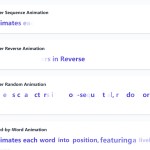
It works by extracting text content and wrapping individual units (letters, words, or lines) in styled spans, then applying CSS animations with calculated delays to create fluid, sequential effects.
Features:
- HTML Attribute Control: Configure animations entirely through data attributes without writing JavaScript code.
- Multiple Animation Types: Support for letter-by-letter, word-by-word, and line-by-line animation modes.
- Sequential Logic: Built-in timing system for proper animation sequencing and completion.
- Animation Order Options: Sequential, randomized, and reverse animation patterns for varied visual effects.
- Custom Delay Control: Precise timing control with single or multiple delay values for complex animation rhythms.
- Duration Override: Base duration settings that override CSS animation durations when needed.
- Dynamic Content Support: Re-initialization capability for content loaded after initial page render.
See it in action:
How to use it:
1. Install AnimText and import it into your main JavaScript file.
npm i animtext
npm i @hellouxpavel/cssanimation
import animtext from "animtext";
import "@hellouxpavel/cssanimation";
2. For direct use in an HTML file, add the {css}animation library to your <head> and the AnimTex.js before your closing </body> tag.
<link rel="stylesheet" href="/path/to/cssanimation.min.css" />
<script src="/path/to/animtext.min.js"></script>
3. To animate an element, you need two things: the cssanimation class and a data-at-* attribute.
class="cssanimation": This class is required. It’s the hook that AnimText uses to find elements to process.data-at-sequence="ca__fx-fadeIn": This attribute tells AnimText to animate the element’s text letter-by-letter (sequence) using theca__fx-fadeInanimation from the {css}animation library.
<h1 class="cssanimation" data-at-sequence="ca__fx-fadeIn">CSSScript</h1>
4. AnimText supports multiple animation patterns through specific data attributes:
data-at-sequence: Animates letters from first to last in orderdata-at-random: Randomizes letter animation sequencedata-at-reverse: Animates letters from last to firstdata-at-word: Animates complete words sequentiallydata-at-line: Animates text lines based on line breaks or custom separators
5. The data-at-delay attribute accepts single or multiple delay values in milliseconds:
<p class="cssanimation" data-at-sequence="ca__fx-fadeIn" data-at-delay="50 100 200">
  Varied timing rhythm
</p>
6. Set consistent animation duration across all units:
<h3 class="cssanimation" data-at-word="ca__fx-slideInUp" data-at-base-duration="800">
  All words animate for 800ms
</h3>
7. Control how lines are split using the separator attribute:
<p class="cssanimation" data-at-line="ca__fx-fadeIn" data-at-separator="dot">
  First sentence. Second sentence. Third sentence.
</p>
8. Assign different animations to each unit by space-separating class names:
<h2 class="cssanimation" data-at-word="ca__fx-fadeIn ca__fx-moveFromTop ca__fx-bounceInLeft">
  Each word gets different animation
</h2>
9. For content loaded after initial page render, manually trigger re-initialization:
animtext.init();
This scans the DOM for new elements with the cssanimation class and applies appropriate animations.
FAQs
Q: Why are my animations not working?
A: The most common reason is forgetting to include the cssanimation library’s stylesheet. AnimText only creates the <span> structure and applies timing; it relies on an external library like cssanimation for the actual keyframe definitions. Also, confirm the target element has the cssanimation class.
Q: Can I use my own CSS animation classes instead of the ones from cssanimation?
A: Yes. AnimText is class-agnostic. You can pass any CSS class name to the data-at-* attributes as long as that class and its @keyframes are defined in your project’s CSS.
Q: Can I mix data-at-word and data-at-line on the same element?
A: No. Only one data-at-* type is processed per element. Chain them on different elements if needed.
Related Resources:
- 10 Best Typewriter Text Animation JavaScript Libraries
- 10 Best Text Animation Plugins In JavaScript/jQuery
The post Apply Smooth Animations to Text Using Data Attributes – AnimText.js appeared first on CSS Script.
Discover more from RSS Feeds Cloud
Subscribe to get the latest posts sent to your email.