

 By rssfeeds-admin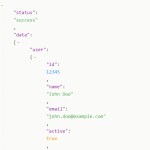
TreeJSON is a lightweight interactive JSON viewer that renders JSON data into a collapsible tree structure.
It takes raw JSON data and converts it into a human-readable tree view with syntax highlighting, line numbers, and error detection.
Features:
- Syntax highlighting for keys, strings, numbers, booleans, null values
- Nested collapsible tree structure with click-to-expand functionality
- Auto-updating line numbers that hide/show with collapsed content
- Specific error line highlighting for malformed JSON
- Fully responsive design that works on mobile devices
- 100% vanilla JS – no frameworks or external dependencies
How to use it:
1. Download and load the main script ‘script.js’ into your document.
<script src="js/script.js"></script>
2. Open js/script.js. You’ll find a sampleJson variable. Replace its contents with the JSON data you want to display.
document.addEventListener('DOMContentLoaded', function() {
  // ...
  const sampleJson = `{
    "user": "John Doe",
    "isActive": true,
    "roles": ["admin", "editor"],
    "settings": {
      "theme": "dark",
      "notifications": null
    }
  }`;
  // ...
  parseAndRenderJson(sampleJson);
});
3. Create the HTML for the JSON viewer.
<div class="json-viewer">
  <div class="line-numbers" id="line-numbers"></div>
  <div class="json-content" id="json-content"></div>
</div>
4. The necessar CSS styles. You can change the color scheme by editing the CSS variables as displayed below:
:root {
  --bg-color: #f5f5f5;
  --text-color: #333;
  --line-numbers-color: #666;
  --key-color: #9c27b0;
  --string-color: #4caf50;
  --number-color: #2196f3;
  --boolean-color: #ff9800;
  --null-color: #f44336;
  --bracket-color: #555;
  --error-color: #ff0000;
  --error-bg: #ffecec;
}

.json-viewer {
  display: flex;
  border: 1px solid #ddd;
  border-radius: 4px;
  background-color: white;
  box-shadow: 0 2px 10px rgba(0, 0, 0, 0.1);
  overflow: hidden;
}

.line-numbers {
  background-color: #f0f0f0;
  color: var(--line-numbers-color);
  padding: 10px 5px;
  text-align: right;
  user-select: none;
  border-right: 1px solid #ddd;
  min-width: 30px;
  line-height: 1.5;
}

.json-content {
  flex-grow: 1;
  padding: 10px;
  overflow-x: auto;
  position: relative;
  white-space: pre;
  line-height: 1.5;
}

.json-line {
  display: block;
  min-height: 1.5em;
}

.key {
  color: var(--key-color);
}

.string {
  color: var(--string-color);
}

.number {
  color: var(--number-color);
}

.boolean {
  color: var(--boolean-color);
}

.null {
  color: var(--null-color);
}

.bracket {
  color: var(--bracket-color);
}

.collapsible {
  cursor: pointer;
  margin-right: 4px;
  color: var(--bracket-color);
  user-select: none;
  display: inline-block;
  width: 15px;
  text-align: center;
}

.children {
  margin-left: 20px;
  border-left: 1px dotted #ddd;
  padding-left: 15px;
}

.collapsed > .children {
  display: none;
}

.collapsed > .collapsible::after {
  content: "+";
}

.collapsible::after {
  content: "-";
}

.error-line {
  background-color: var(--error-bg);
  color: var(--error-color);
  font-weight: bold;
}

.error-message {
  color: var(--error-color);
  padding: 10px;
  margin-top: 10px;
  border: 1px solid var(--error-color);
  border-radius: 4px;
  background-color: var(--error-bg);
}
The post Collapsible JSON Viewer with Syntax highlighting and Line numbers – TreeJSON appeared first on CSS Script.
Discover more from RSS Feeds Cloud
Subscribe to get the latest posts sent to your email.