

 By rssfeeds-admin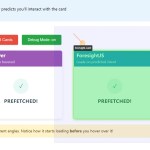
Most developers rely on hover events to trigger prefetching, but by then, valuable milliseconds have been wasted.
This library analyzes cursor trajectories in real-time to predict where users are heading, and triggers actions 80- 150ms before they even hover, resulting a significant improvement in perceived performance.
See
It In Action:
Key Features:
- Mouse Trajectory Prediction: Uses velocity and direction to predict where cursors are heading
- Expandable Hit Areas: Custom “hit slop” regions that extend an element’s interactive area
- Predictive Prefetching: Starts loading resources before users hover or click
- Framework Agnostic: Works with any JavaScript framework or vanilla JS
- Visual Debugging: Built-in visualization tools to fine-tune predictions
- Customizable Settings: Adjust prediction timing, hit areas, and tracking sensitivity
Use Cases:
- Faster Navigation: Prefetch linked pages before users click on navigation items, making transitions feel instant
- Smart Resource Loading: Load images, data, or components when users move toward interactive elements, not after they hover
- Reduced Viewport Prefetching Waste: Replace aggressive viewport-based prefetching with intent-based predictions
- Enhanced Image Galleries: Preload high-resolution versions only when users show intent to interact with thumbnails
How to use it:
1. Install ForesightJS and import it into your web project.
# Yarn
$ yarn add js.foresight

# NPM
$ npm install js.foresight

# PNPM
$ pnpm install js.foresight
import { ForesightManager } from "foresightjs"
2. Basic usage
// Optional: Initialize once at app startup for custom global settings.
// If you're fine with defaults, you can skip this.
ForesightManager.initialize({
  debug: false, // Set true for visual debugger
  defaultHitSlop: { top: 30, left: 30, bottom: 80, right: 30 }, // Default invisible margin
  // trajectoryPredictionTime: 80, // How far (ms) to predict ahead
});

// Get the element you want to track
const myButton = document.getElementById("my-button");
if (myButton) {
  // Register the element
  const { isTouchDevice, unregister } = ForesightManager.instance.register({
    element: myButton,
    callback: () => {
      console.log("ForesightJS: User likely to interact with my-button. Prefetching now!");
      // Your prefetching logic or other action here
    },
    hitSlop: 20, // Optional: Element-specific hit area expansion in pixels.
                 // Can be a number (all sides) or an object {top, left, bottom, right}.
    name: "My Special Button", // Useful for debugging
    unregisterOnCallback: true, // Default: true. Unregisters after first callback. Set false for multiple triggers.
  });

  // For touch devices, ForesightJS won't predict. Use isTouchDevice for fallback.
  if (isTouchDevice) {
    console.log("This is a touch device. Implement alternative prefetching/interaction logic.");
    // e.g., myButton.addEventListener('touchstart', () => { /* prefetch on touch */ });
  }

  // IMPORTANT: Clean up when the element is no longer needed (e.g., component unmounts)
  // If unregisterOnCallback is true, this happens automatically after the first callback.
  // Otherwise, or if you need to unregister before callback, call unregister().
  // For example, in a React component:
  // useEffect(() => {
  //   // ... registration logic ...
  //   return () => unregister();
  // }, []);
}
3. Global options:
debug(boolean, default:false): Toggles the visual debugger. Invaluable for setup.enableMousePrediction(boolean, default:true): Main switch for prediction.positionHistorySize(number, default:8): How many mouse positions to track for velocity.trajectoryPredictionTime(number, default:80): Milliseconds to predict into the future.defaultHitSlop(number | Rect, default:{top:0, left:0, right:0, bottom:0}): Default invisible padding around elements.resizeScrollThrottleDelay(number, default:50): Throttle for recalculating bounds on resize/scroll (ms).
ForesightManager.initialize({
  enableMousePrediction: true,
  positionHistorySize: 8,
  trajectoryPredictionTime: 80,
  defaultHitSlop: 10,
  resizeScrollThrottleDelay: 50,
  debug: false,
  debuggerSettings: {
    isControlPanelDefaultMinimized: false,
  },
})
4. Element-Specific register() Parameters:
element(HTMLElement, Required): The DOM element.callback(function, Required): Executed on predicted interaction.hitSlop(number | Rect, Optional): OverridesdefaultHitSlopfor this element. This is key for tuning. A small button might need a larger relativehitSlopthan a big banner.name(string, Optional): Descriptive name for debug mode.unregisterOnCallback(boolean, default:true): Iftrue,unregister()is called automatically after the callback executes once. Set tofalseif you need the callback to fire multiple times for the same element.
ForesightManager.instance.register({
  element: myElement,
  callback: prefetchData,
  hitSlop: { top: 10, left: 50, right: 50, bottom: 100 }, // Element-specific hit area
  name: "Product Card", // Useful in debug mode
  unregisterOnCallback: false, // Allow callback to run multiple times
})
Comparison with Alternatives
Traditional Hover-Based Prefetching (e.g., onmouseover):
- This is the old way. Simple to implement.
- The big downside is the delay. Prefetching only starts after the hover event, which itself can be 200-300ms after the user decided to move towards the element.
- ForesightJS aims to capture that 80-150ms window before the hover, making it better for truly time-sensitive prefetching.
Viewport-Based Prefetching (e.g., Next.js <Link> default, IntersectionObserver for links):
- Libraries like
quicklinkor the default behavior in some frameworks prefetch resources for all links that enter the viewport. - This is easy to set up and ensures resources are ready if the user eventually clicks something visible.
- The con is potential over-fetching. If a user scrolls past many links without intending to click any, you’ve wasted bandwidth and server resources. I’ve seen this firsthand on content-heavy pages.
- ForesightJS is more precise by focusing on active mouse intent, reducing unnecessary requests. It’s a good choice when bandwidth or server load from speculative prefetching is a concern.
- This library often preloads on
mousedownortouchstart, or sometimes on a brief hover. It’s very effective for making clicks feel instant. - ForesightJS differs by predicting before any click or even a full hover, based purely on mouse movement. It could potentially be used in conjunction with something like
instant.pageifinstant.pageis configured formousedown, with ForesightJS handling the “approach” andinstant.pagehandling the “commitment.”
FAQs
Q: How much overhead does ForesightJS add? Is it bad for performance?
A: It’s designed to be lightweight. The main work happens on mousemove, which can be frequent. However, calculations are generally simple (vector math on a small history). The resizeScrollThrottleDelay also helps. In my experience, the performance gain from earlier prefetching and smoother perceived interactions usually outweighs the minor computational cost. As always, profile in your specific app.
Q: What’s the best way to determine hitSlop values?
A: Start with the debug: true mode. This visualizes the hit areas. For critical interactive elements, a hitSlop of 10-50px might be a good starting point, depending on element size and density of your UI. For larger, more isolated elements, you might use a larger hitSlop. It’s an iterative process: observe user interaction patterns (or your own) and adjust.
Q: So, ForesightJS doesn’t do anything for touch devices?
A: Correct. It focuses on mouse movement. The register() method returns isTouchDevice, which you should use to implement a fallback. For touch, common strategies include prefetching on touchstart for links, or using IntersectionObserver for viewport-based preloading. The ForesightJS docs have examples for Next.js and React Router integrations that show how to handle this.
Q: Can I use ForesightJS with React, Vue, Angular, etc.?
A: Absolutely. It’s framework-agnostic since it operates on DOM elements. In React, you’d typically register an element in a useEffect hook (getting a ref to the DOM element) and return the unregister function from the useEffect for cleanup. Similar patterns apply to Vue (mounted/beforeUnmount) and Angular (ngOnInit/ngOnDestroy).
Q: What if the user’s mouse movements are chaotic or they just wiggle the mouse over an area?
A: The prediction is based on a recent, short trajectory. If the mouse movement is truly random without clear direction towards an element, it’s less likely to trigger a callback unless the cursor happens to pass through a hit area with sufficient projected velocity. The trajectoryPredictionTime and positionHistorySize settings influence its sensitivity. If unregisterOnCallback is false, rapid movements over an element could trigger the callback multiple times if intent is repeatedly predicted.
Q: Is there a risk of triggering too many callbacks if unregisterOnCallback is false?
A: Yes, potentially. If a user hovers near an element or moves their mouse back and forth over its “approach path,” the callback could fire multiple times. This is why unregisterOnCallback: true is the default and suitable for most prefetching scenarios (prefetch once). If you set it to false, ensure your callback is idempotent or designed to handle multiple calls gracefully.
The post Predict User Intent Based On Mouse Movements – ForesightJS appeared first on CSS Script.
Discover more from RSS Feeds Cloud
Subscribe to get the latest posts sent to your email.