

 By rssfeeds-admin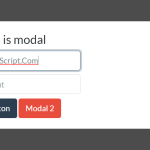
Inspired by Bootstrap’s Modal component.
More Features:
- Inspired by Bootstrap’s Modal component.
- Blurs the background content when the modal is opened.
- Multiple modal instances on a page.
- Locks the page when the modal is opened.
- Dismisses the modal on click outside.
- 7 CSS3 animations: slide, fade, zoom, etc.
How to use it:
1. Insert the accessible-minimodal.min.js script into the HTML page and we’re ready to go.
<script src="accessible-minimodal.min.js"></script>
2. Add content to the modal window as follows. Be sure to add role="dialog", aria-modal="true", and aria-labelledby attributes to the modal window for accessibility.
<div
  id="modal-example"
  aria-hidden="true"
  class="modal"
  style="display:none;">
  <div
    tabindex="-1"
    class="modal-wrapp">
    <div
      role="dialog"
      aria-modal="true"
      aria-labelledby="modal-open-btn-example"
      class="modal-body">
      <div class="modal-title">This is a modal</div>
      <button
        type="button"
        class="modal-close-btn close"
        aria-label="Close Modal"
        data-modal-close></button>
      <label aria-label="Input">
        <input type="text" placeholder="Input">
      </label>
      <label aria-label="Input">
        <input type="text" placeholder="Input">
      </label>
      <button>Button</button>
    </div>
  </div>
</div>
3. Create a button to launch the modal when needed.
<button id="modal-open-btn-example" data-modal-open="modal-example">Open Modal</button>
4. Initialize the modal library and done.
const modal = AccessibleMinimodal.init({
      // options here
})
5. Customize the modal window with the following options:
const modal = AccessibleMinimodal.init({
      // default CSS selectors
      classes: {
        modal: 'modal',
        wrapp: 'modal-wrapp',
        body: 'modal-body',
        active: 'active'
      },
      disableScroll?:{
        use: true,
        jumpingElements: '',
      };
      // disable page scroll when activated
      disableScroll: true,
      // auto move focus to the modal on page load
      focus: true,
      hash: {
        open: false,
        add: false,
        remove: false
      },
      // allows for multiple modal instances
      multiple: false,
      multipleClosePrev: true,
      // closes the modal on click outside
      outsideClose: true,
      // custom styles here
      style: {
        use: true,
        width: 400,
        valign: 'center', // center, top, bottom
        openAnimation: 'from-bottom', // // from-bottom, from-top, from-left, from-right, zoom-in, zoom-out, fade
        animationDuration: 400
      },
      // selectors of triggers
      triggers: {
        open: 'data-modal-open',
        close: 'data-modal-close'
      }
})
6. Callback functions
const modal = AccessibleMinimodal.init({
      on: {
        beforeOpen: function (instance) {},
        afterOpen: function (instance) {},
        beforeClose: function (instance) {},
        afterClose: function (instance) {}
      },
})
7. API methods.
modal.openModal('my-modal')
modal.closeModal('my-modal')
modal.closeModal()
modal.closeAllModals()
modal.getScrollbarWidth();
modal.addTriggers({
  open: 'data-my-open',
  close: 'data-my-close',
  closeAll: 'data-my-close-all',
});
8. Events.
document
  .getElementById('modal')
  ?.addEventListener('accessible-minimodal:before-open', () => {
  // do something
});
document
  .getElementById('modal')
  ?.addEventListener('accessible-minimodal:after-open', () => {
  // do something
});
document
  .getElementById('modal')
  ?.addEventListener('accessible-minimodal:before-close', () => {
  // do something
});
document
  .getElementById('modal')
  ?.addEventListener('accessible-minimodal:after-close', () => {
  // do something
});
Changelog:
v2.6.5 (04/21/2025)
- multiple modal close fix
v2.6.4 (12/08/2024)
- aria-hidden toggle removed
v2.6.3 (06/06/2024)
- before events fix
v2.6.2 (06/04/2024)
- bugfix
v2.6.1 (05/31/2024)
- bugfix
v2.6.0 (05/29/2024)
- addTriggers changed
v2.5.15 (05/20/2024)
- vue adapted
v2.5.2 (05/19/2024)
- Update
v2.4.0 (02/25/2024)
- Bugfix
v2.3.1 (02/25/2024)
- Bugfix
v2.3.0 (02/24/2024)
- Added prevent open/close
v2.2.3 (01/06/2024)
- exports types added
v2.2.2 (12/08/2022)
- console.log() fix
v2.2.1 (09/26/2022)
- bugfixes
v2.2.0 (08/20/2022)
- add disableScroll jumpingElements option
v2.1.0 (08/20/2022)
- add events to modal element
v2.0.23 (08/02/2022)
- add callback to methods
v2.0.22 (06/23/2022)
- focus selectors fix
v2.0.21 (06/21/2022)
- bugfix
v2.0.16 (05/17/2022)
- bugfix
v2.0.14 (05/17/2023)
- update
v2 (04/28/2023)
- update
v1.3.6 (09/11/2022)
- update
v1.3.5 (08/31/2022)
- export fix
v1.3.4 (05/11/2022)
- focus fix
v1.3.3 (02/01/2022)
- beforeOpen fix
v1.3.2 (12/16/2021)
- outsideClose fix
v1.3.0 (11/02/2021)
- add method closeAllModals
v1.2.0 (11/01/2021)
- multipleClosePrev
v1.1.13 (10/31/2021)
- Update
v1.1.9 (08/12/2021)
- registerTriggers fix
v1.1.8 (08/04/2021)
- Bugfix
- Remove console log
v1.1.6 (07/14/2021)
- getScrollbarWidth() fix
v1.1.5 (05/01/2021)
- classes fix
v1.1.4 (03/30/2021)
- fix closeModal
v1.1.3 (02/08/2021)
- fix changeFocus
v1.1.0 (02/07/2021)
- Update
v1.0.11 (01/11/2021)
- Fix outsideClose
12/30/2020
- change currentTarget
- change event.target
10/11/2020
- default hash change to false
The post Bootstrap Style Accessible Modal Window In Pure JavaScript – accessible-minimodal appeared first on CSS Script.
Discover more from RSS Feeds Cloud
Subscribe to get the latest posts sent to your email.