

 By rssfeeds-admin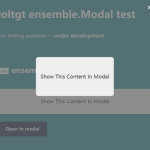
A minimal JavaScript class that takes an element from the document and displays it in a modal popup.
How to use it:
1. Import the stylesheet ensemble-modal.css and JavaScript ensemble-modal.js into the document.
<link rel="stylesheet" href="./dist/css/ensemble-modal.css" />
<script src="./dist/js/ensemble-modal.min.js"></script>
2. This example shows how to display inline content in a modal popup.
<span class="content">Modal Content Here</span>
<button id="button-modal">Open In Modal</button>
const element = document.querySelector('.content');
const modal = new ensemble.Modal(element);
const button = document.getElementById('button-modal');
button.addEventListener('click', modal.open, true);
Changelog:
04/13/2025
- update
04/09/2025
- svg icons, refact
04/30/2021
- Updates and bugfixes
The post Show Inline Content In A Modal – Ensemble Modal appeared first on CSS Script.
Discover more from RSS Feeds Cloud
Subscribe to get the latest posts sent to your email.