

 By rssfeeds-admin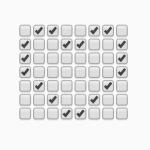
Advanced Examples:
Install & Download:
# NPM
$ npm install checkboxland --save
How to use it:
1. Import the Checkboxland as an ES module.
import { Checkboxland } from 'checkboxland';

// or from a CDN
import { Checkboxland } from 'https://unpkg.com/checkboxland?module';
2. Import plugins if needed. All possible plugins:
- print: prints text to the checkbox grid
- marquee: animates a block of data
- transitionWipe: transitions between the current checkbox grid state and a future state by wiping across the screen
- dataUtils: performs a variety of transformations (or actions) on a matrix of data, and return the result.
import print from './plugins/print/print.js';
import marquee from './plugins/marquee.js';
import transitionWipe from './plugins/transitionWipe.js';
import dataUtils from './plugins/dataUtils.js';

// Add built-in plugins
Checkboxland.extend(print);
Checkboxland.extend(marquee);
Checkboxland.extend(transitionWipe);
Checkboxland.extend(dataUtils);
3. Create a container in which you want to render the checkbox grid.
<div id="example"></div>
4. Create a new Checkboxland instance and determine the dimension of the checkbox grid.
const example = new Checkboxland({
      dimensions: '8x8',
      selector: '#example'
});
5. Prepare your data in a JS array that consists of 0 (unchecked) and 1 (checked).
const myData = [
      [0,1,1,0,0,1,1,0],
      [1,0,0,1,1,0,0,1],
      [1,0,0,0,0,0,0,1],
      [1,0,0,0,0,0,0,1],
      [0,1,0,0,0,0,1,0],
      [0,0,1,0,0,1,0,0],
      [0,0,0,1,1,0,0,0]
];
6. Render a checkbox grid with the data you provide.
example.setData(myData,{
  // the x-coordinate where the text should start on the checkbox grid. Default:
  x: 0,

  // The y-coordinate where the text should start on the checkbox grid. Default: 0.
  y: 0,

  // if the text data won't fill the whole checkbox grid, you can (0, 1, or 2) which will then be used to fill the leftover areas.
  fillValue: undefined
});
7. Get the value of a checkbox in the grid. Returns 0 or 1.
example.getCheckboxValue(x, y);
8. Set the checkbox value.
example.setCheckboxValue(x, y, 0 or 1);
9. Get the data.
example.getData();
10. Clear all data.
example.clearData();
11. Use the print plugin.
example.print(text,{

  // character data for a custom font
  font: {},

  //  returns a data matrix for the text instead of updating the checkbox grid
  dataOnly: false,

  // the x-coordinate where the text should start on the checkbox grid. Default:
  x: 0,

  // The y-coordinate where the text should start on the checkbox grid. Default: 0.
  y: 0,

  // if the text data won't fill the whole checkbox grid, you can (0, 1, or 2) which will then be used to fill the leftover areas.
  fillValue: undefined

})
12. Use the marquee plugin.
example.marquee(data, {

  // repeat the animation
  repeat: false,

  // interval in ms
  interval: 200

  // fill the leftover areas if the scrolling data doesn't fill the whole checkbox grid
  fillValue: 0,

  // callback
  callback: function(){}

})
13. Use the transitionWipe plugin.
example.transitionWipe(newData, {

  // ltr (left-to-right) and rtl (right-to-left)
  direction: 'ltr',

  // interval in ms
  interval: 200

  // fill the leftover areas if the scrolling data doesn't fill the whole checkbox grid
  fillValue: 0,

  // callback
  callback: function(){}

})
14. Use the dataUtils plugin.
// actionName:
// invert: inverts the provided matrix
// pad: adds padding around the provided matrix
example.dataUtils(actionName, matrix, {
  top: 0
  bottom: 0
  left: 0
  right: 0
  all: 0
})
15. Render the provided image as checkboxes.
// dataSource: string | HTMLImageElement
example.renderImage(dataSource, {
  threshold: 50,
  dithering: none, // ordered, atkinson, errorDiffusion
  x: 0,
  y: 0,
  fillValue: undefined, // used to fill the leftover areas
})
16. Render the provided video as checkboxes.
// dataSource: string | HTMLImageElement
example.renderVideo(dataSource, {
  threshold: 50,
  dithering: none, // ordered, atkinson, errorDiffusion
  x: 0,
  y: 0,
  fillValue: undefined, // used to fill the leftover areas
})
17. Get an empty matrix with the dimensions of the existing checkbox grid.
example.getEmptyMatrix({
  // the width & height of the returned matrix
  width: 0,
  height: 0,

  // the value you want to pre-populate the returned matrix with.
  fillValue: 0
});
Changelog:
v1.6.0 (04/12/2025)
- Make internal Checkboxland property this._data fully private (instead of just warning not to use it).
- Add better error handling when extending with malformed or incomplete plugin data.
- Replace pika bundler with microbundle. This drops support for a commonjs export because this package is only intended to be used in a frontend environment. Hypothetically, this is backwards-compatible unless you are using an ancient build tool that doesn’t support es module imports.
v1.5.0 (02/16/2022)
- feat: support passing an HTMLElement to use as the checkboxland container
v1.4.0 (11/17/2020)
- Add the dithering option to the renderImage and renderVideo plugins.
v1.3.0 (09/09/2020)
- feat: add the image and video plugins
v1.2.0 (07/31/2020)
- Add on click plugin
v1.1.0 (06/06/2020)
- feat: update the print plugin with options for x, y, and fillValue
- feat: expose the getEmptyMatrix method and add a new fillValue option
- refactor: simplify the API of the new getEmptyMatrix method
- feat: add more options to setData to simplify some use-cases
The post Render Anything Using HTML Checkboxes – Checkboxland appeared first on CSS Script.
Discover more from RSS Feeds Cloud
Subscribe to get the latest posts sent to your email.